
One of the questions that comes up from time to time is how to password protect your file. Something really important before I go through this.
There is no “Retrieve Password” option for this. If you forget the password, you are, how can I say this politely?, Banjaxed? Not In A Good Place? ..You get the idea.
Adding a password to an Excel file
Choose:
- From File, scroll down to Save As

Choose a location. Click on Browse if you want to save it onto your OneDrive or cloud storage. Or you could choose This PC.

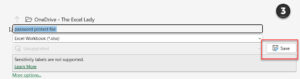
Give your file a name and click on Save
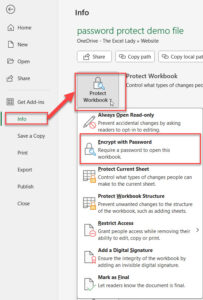
To add a password, click on Info and then from Protect Workbook choose Encrypt with Password
You will be prompted to enter your password twice. Remember it is case sensitive.
Then you will be prompted to save your document.
When you try to open it again, you will be prompted for a password.
Removing the password
Open the document with the password.
Then click on File | Info | Protect Workbook and delete the password in the password box and click OK.
As always, your comments and questions are most welcome 🙂